
Bring Mandate relationship context into Outlook.
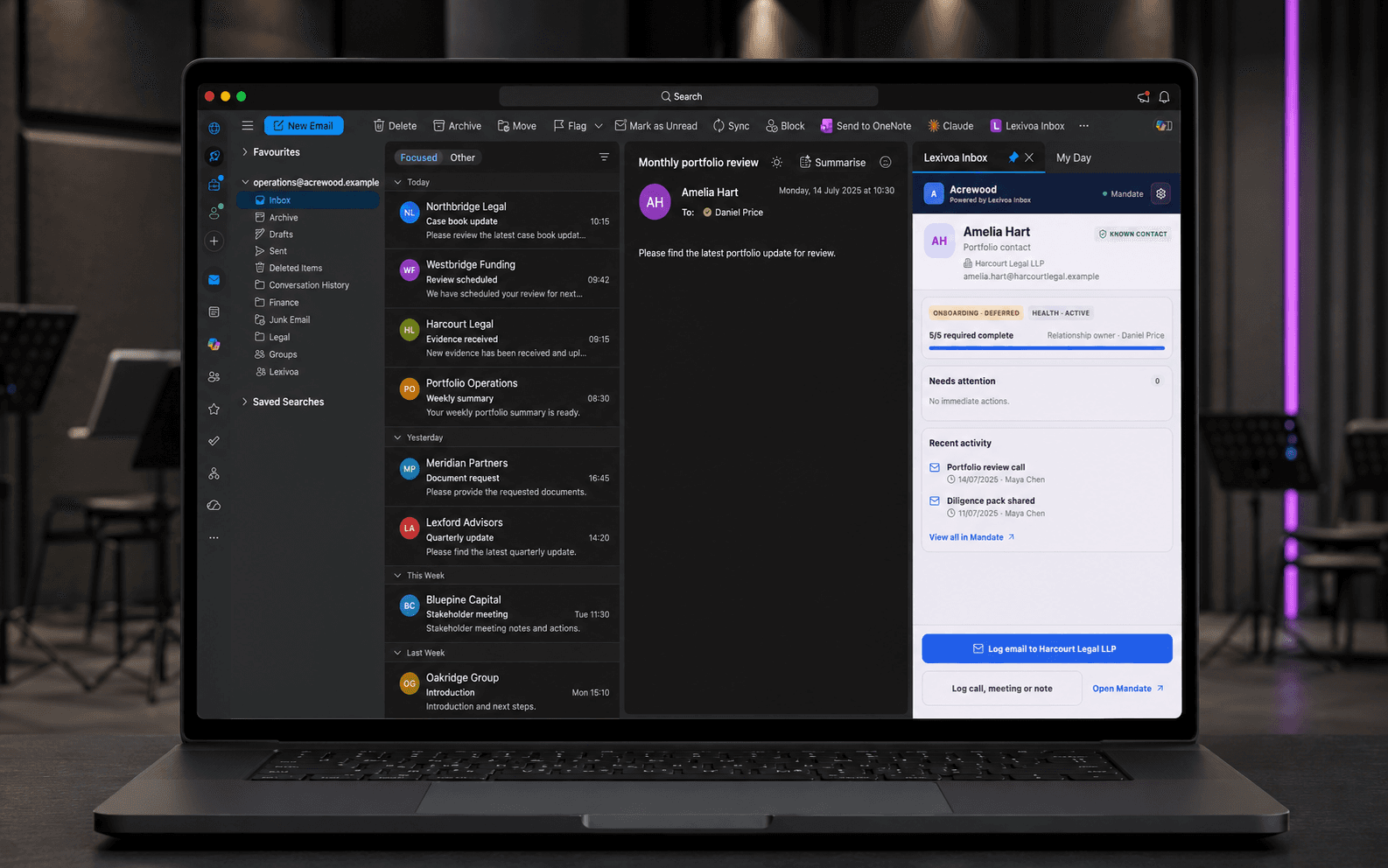
Lexivoa Inbox brings Mandate into Outlook. It identifies a known email contact, selects the relevant relationship record and shows where that relationship sits in its journey—before the user records any relevant email, call, meeting or note.
Relationship activity
Keep relationship knowledge with the team—not trapped in individual inboxes.
Email is where much of the relationship work happens, but it is not a reliable shared record. Lexivoa Inbox brings the relevant Mandate context into Outlook and lets each user decide what should be added to the relationship history.
Without a shared workflow
Colleagues open messages without the wider relationship context.
Important emails, calls and meetings are recorded inconsistently—or not at all.
Relationship knowledge becomes difficult to follow when responsibility changes.
With Lexivoa
A known email contact automatically selects the relevant Mandate relationship record.
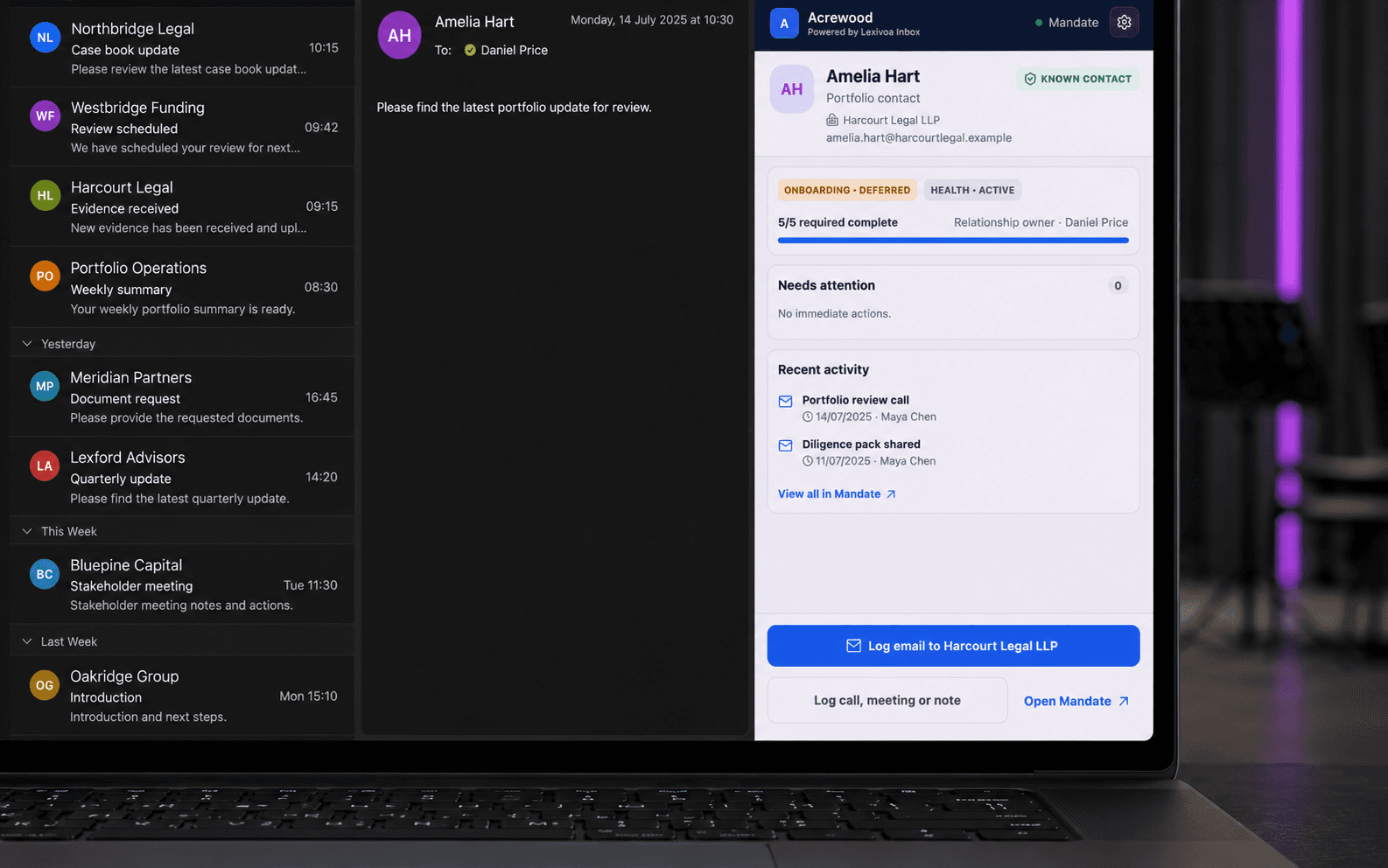
Journey stage, onboarding progress, ownership, health and recent activity are visible alongside the conversation.
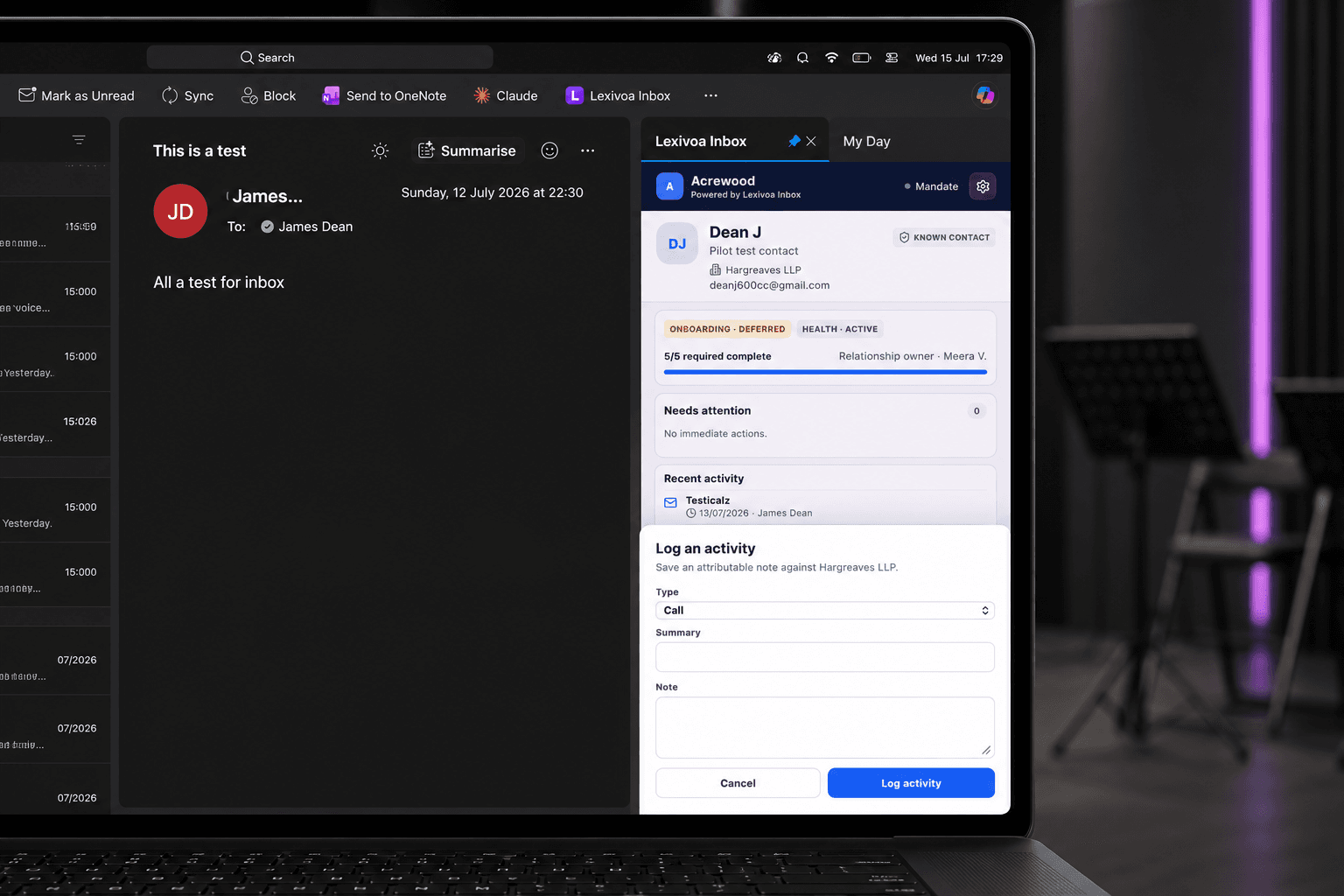
Selected emails, calls, meetings and notes become part of a shared, attributable history.
How it works
From an Outlook conversation to a shared Mandate record.
Open the conversation
Read or compose the email in Outlook as normal.
Select the record automatically
Lexivoa Inbox uses the known email contact to select the relevant Mandate relationship record.
See where things stand
Review the journey stage, onboarding progress, relationship owner, health, attention items and recent activity.
Record what matters
Log the relevant email or add an attributable call, meeting or note to Mandate.
Operational impact
Less administration. A clearer relationship record.
Less switching and rekeying
Record relevant activity while working in Outlook, without reopening Mandate to enter the same context again.
A usable relationship history
Give authorised Mandate users a clearer view of the communications and interactions that matter.
Controlled, user-led logging
Users choose what to retain; Lexivoa Inbox does not silently capture the entire mailbox.
Built around the people doing the work
Shared context for every relationship team.
Help the people managing funder, investor and law-firm relationships work from the same history while keeping mailbox access with the individual user.
Portfolio managers
Keep relevant law-firm and counterparty communications connected to the operating relationship.
Investor relations
Retain the investor correspondence and interactions that belong on the Mandate record.
Funder operations
Reduce manual rekeying and preserve continuity when work moves between colleagues.
Compliance teams
Review an intentional, attributable activity record without requiring access to personal mailboxes.
Part of Lexivoa Mandate
Work in Outlook. Keep the relationship record in Mandate.
Lexivoa Inbox brings the relevant context and actions into Outlook; the resulting activity remains stored, permissioned and managed in Lexivoa Mandate.
Get Started
Ready to see Lexivoa in action?
Tell us who you are and we'll create your prospect workspace, route your request internally, and come back with the right walkthrough.