
Upload the case book. Carry on working.
Upload a CSV, map its columns and start a tracked background import. Assurance validates and processes the file while your team carries on working, then returns a clear result for every row.
High-volume case intake
A large case book should not hold up the rest of the operation.
The Mass Uploader turns a familiar CSV handoff into a controlled intake process—with field mapping, pre-flight checks, background processing and an outcome you can investigate.
Without a shared workflow
Operations teams reshape files or create cases one at a time before audit work can begin.
Organisation-specific columns are dropped, re-keyed or kept in sidecar spreadsheets.
Long-running uploads become a black box, with little clarity when individual rows fail.
With Lexivoa
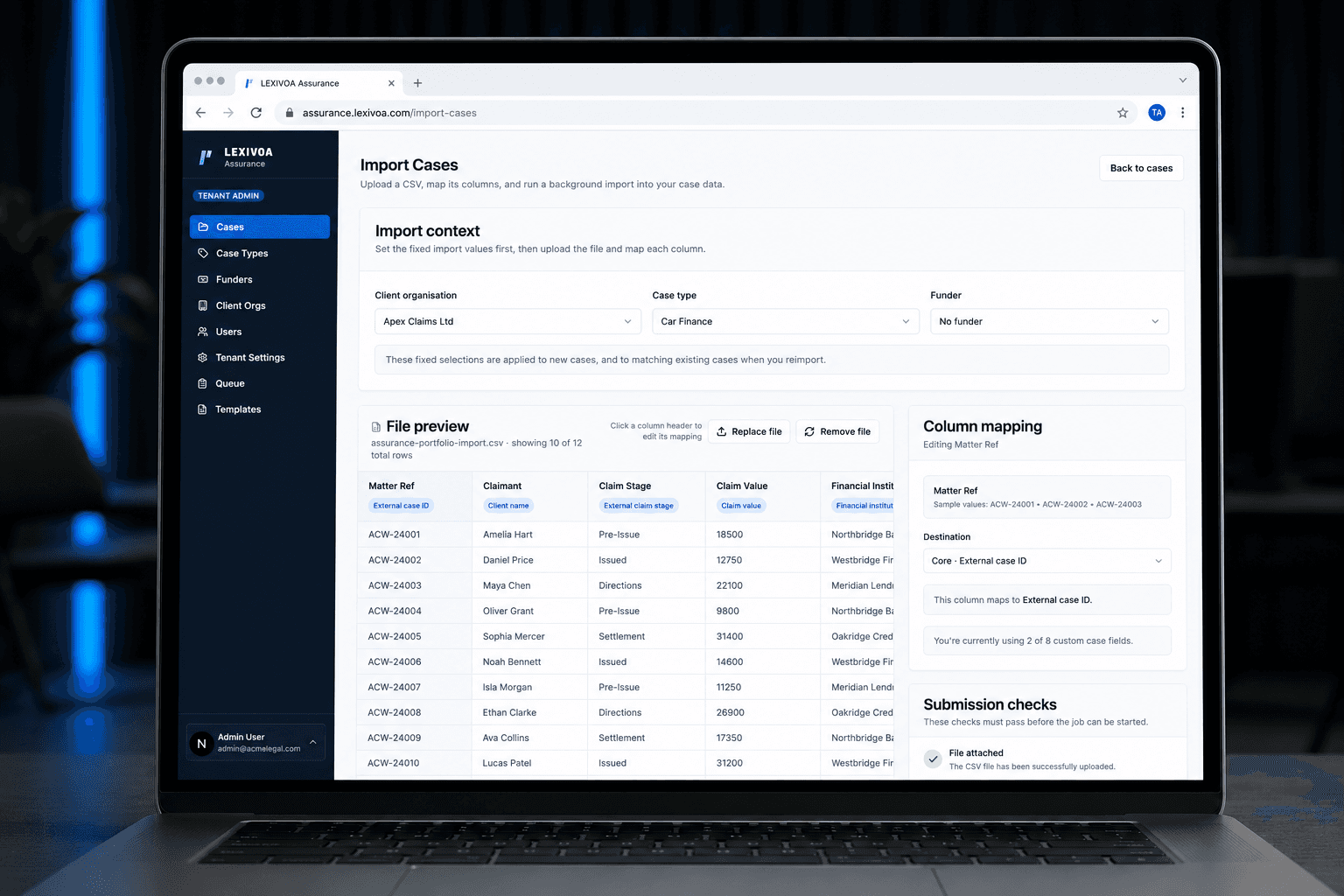
Assurance previews the file, suggests core mappings and checks the configuration before starting.
Organisation-specific data can flow into existing or newly created typed custom fields.
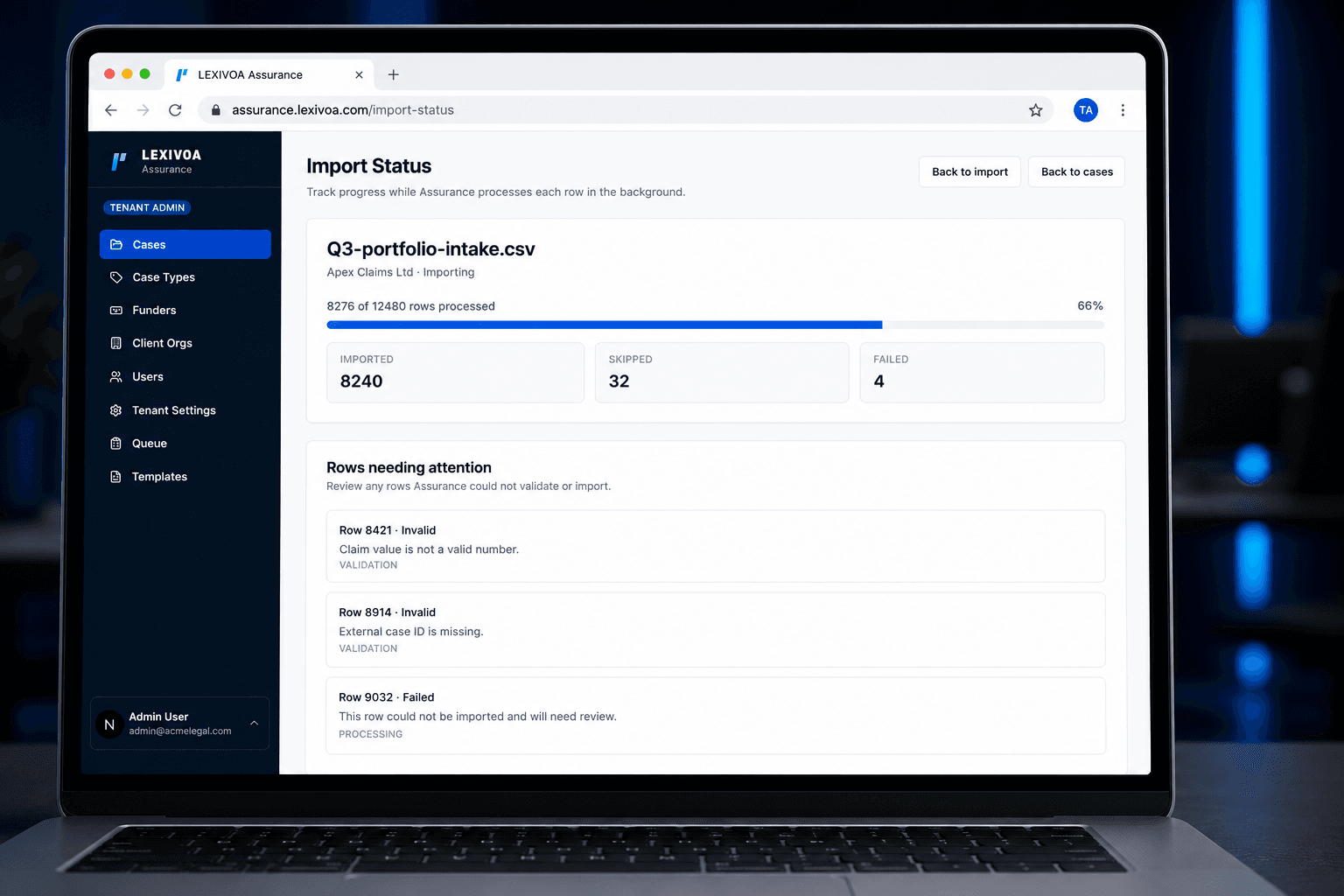
The import continues in the background with visible progress, totals and rows needing attention.
How it works
Map the file. Start the import. Get on with the rest of the work.
Set the context
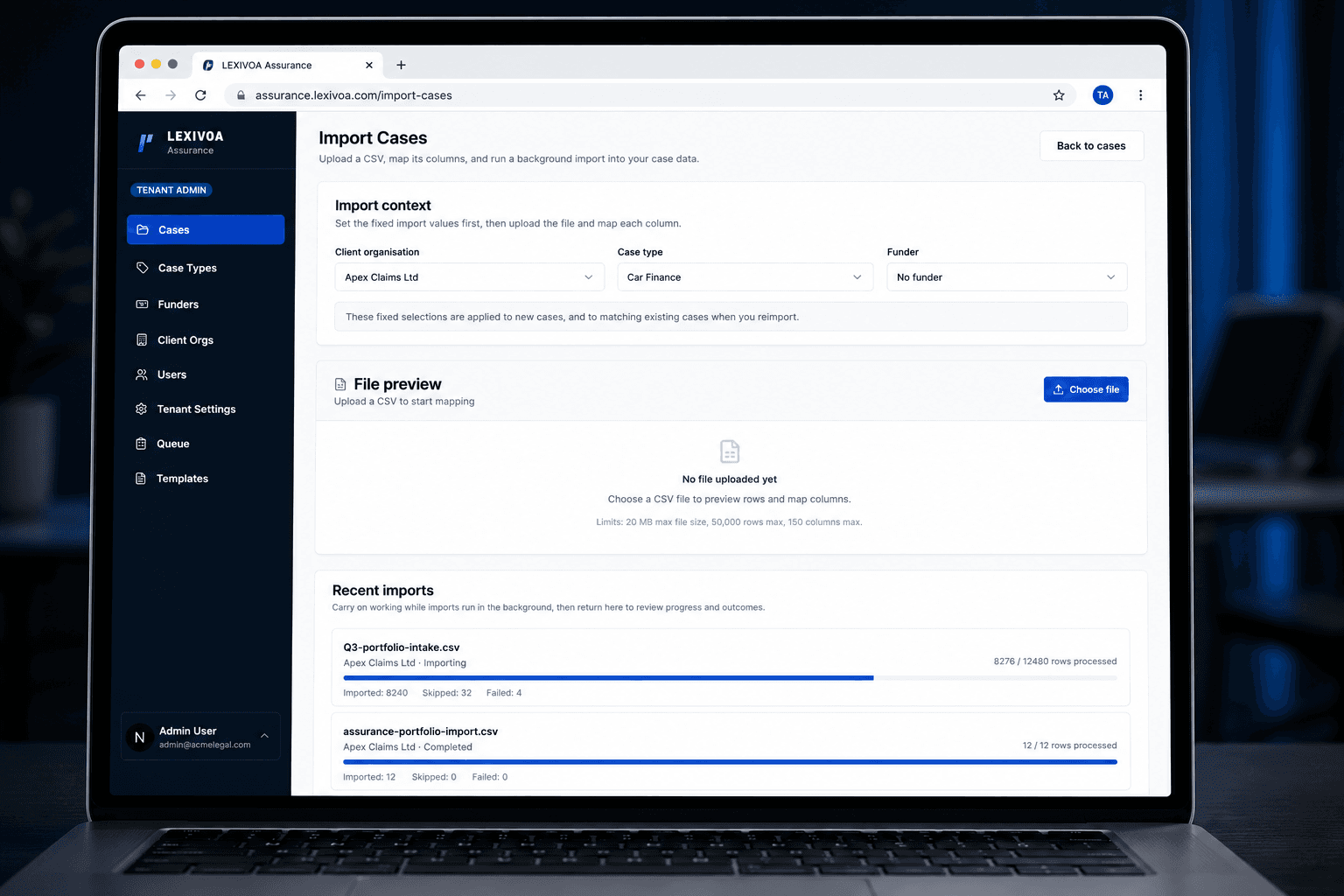
Choose the client organisation, case type and optional funder that should apply to the file.
Preview and map
Review sample rows and connect each source column to a core field, an existing custom field or a controlled new field.
Clear the checks
Resolve missing or duplicate mappings, controlled-field warnings and conflicts with existing case data before starting.
Start it and carry on
Leave Assurance to process the import in the background, then return to progress, totals and any rows needing attention.
Operational impact
Less waiting. Clearer data. A traceable result.
Work continues while it runs
Start a high-volume import, move on to other work and return to the same tracked job when needed.
Fit the data to your model
Make every destination explicit and retain organisation-specific data through controlled custom fields.
Exceptions, not guesswork
See imported, skipped and failed totals, then investigate the exact rows Assurance could not process.
Built around the people doing the work
Built for the teams moving large case books into audit.
Give administrators control over structure and validation, while operations teams get a background process they can monitor without being tied to the upload screen.
Assurance administrators
Control the context, mappings and submission checks for each high-volume intake.
Audit operations
Bring large case books into Assurance without pausing the rest of the working day.
Implementation teams
Accommodate different source structures without forcing every organisation into the same spreadsheet.
Law firm clients
Provide existing case data in a familiar format while Assurance controls how it enters the audit model.
Part of Lexivoa Assurance
The upload finishes where the Assurance workflow begins.
Imported cases enter the same controlled case model as manually created records, ready for templates, documents, audit cycles, assignments, findings and reporting in Assurance.
Get Started
Ready to see Lexivoa in action?
Tell us who you are and we'll create your prospect workspace, route your request internally, and come back with the right walkthrough.