
Every litigation funder has data that matters to its decisions but does not fit neatly into a standard system.
It may be an internal funding cohort, an ATE insurer, a board reporting category, a committee label or a funder-specific view of limitation status. The information is important precisely because it reflects how that funder operates.
The usual answer is to add another spreadsheet column. That works until the same field appears under three different names, accepts five versions of the same value and disappears from the next diligence pack.
For litigation funding portfolio management, flexibility is useful only when it remains controlled.
Fixed schemas do not reflect every funding strategy
Core operating data should be standard. Facility currency, total commitment, drawdown requirements, mandate thresholds and waiver expiry all have defined meanings inside the workflow. They should not be recreated as optional metadata.
But no fixed product schema can anticipate every investment strategy, reporting convention or portfolio taxonomy. A commercial disputes fund and a volume consumer-claims fund may both track matters, yet require very different supporting data.
That creates a practical design boundary:
- core fields should power the product's shared controls and calculations
- custom fields should capture funder-specific context without weakening those controls
The distinction matters. A system that cannot adapt pushes important portfolio data back into spreadsheets. A system that allows unrestricted adaptation creates a different problem: inconsistent, untyped information that cannot be trusted for filtering, reporting or review.
Custom fields should be a governed data layer
Lexivoa Mandate now gives funders a controlled way to extend their portfolio data model across claims and matters, facilities, law firms, funds, drawdowns and diligence packs.
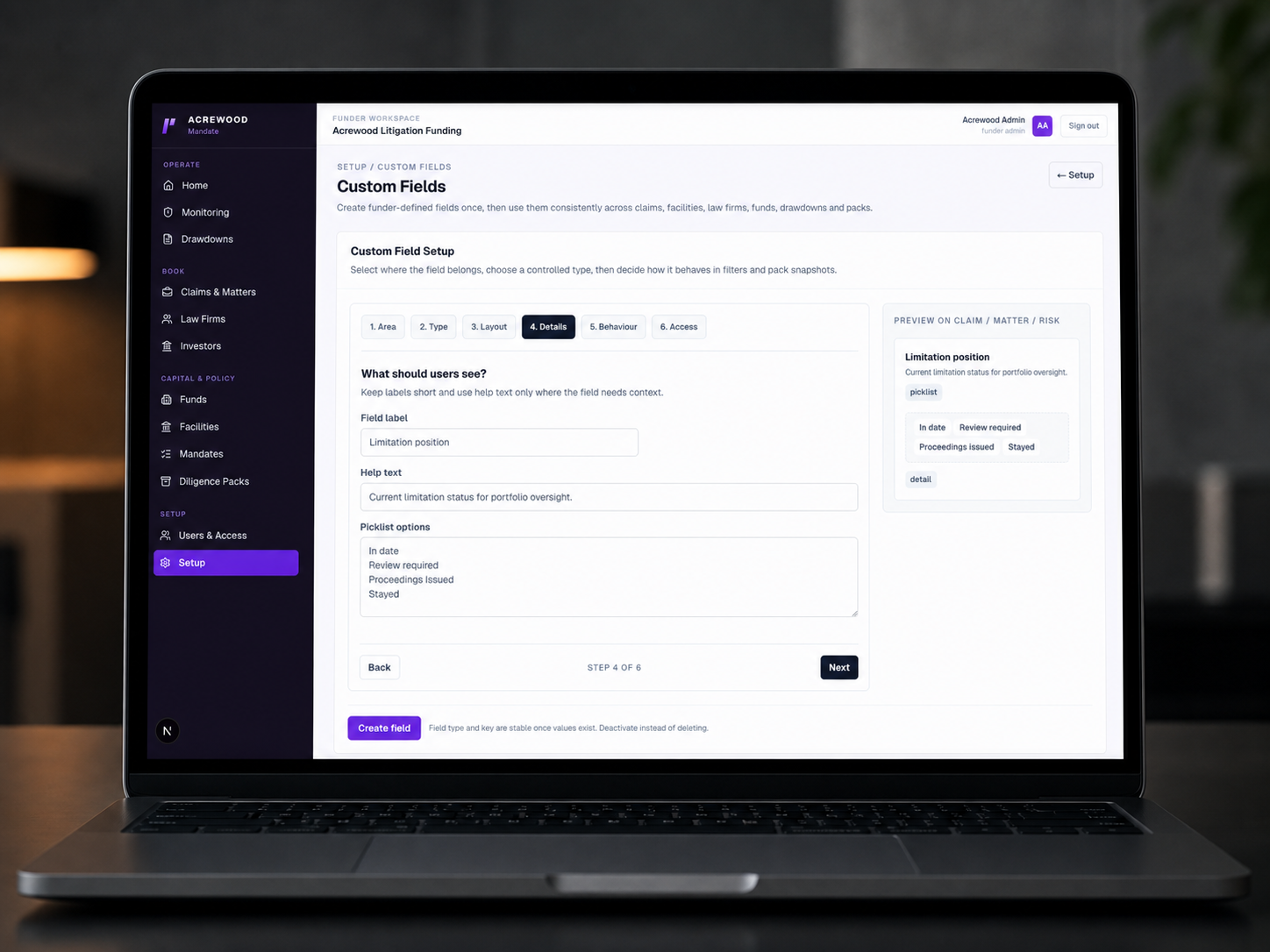
An administrator first chooses where the field belongs. They then select a defined data type: text, long text, number, currency, percentage, date, yes/no, picklist, multi-select or URL. Layout sections and display order determine where it appears on the record.
That is a small design choice with a large operational effect. A picklist for “Limitation position” produces consistent values. A free-text column for the same concept produces “In date”, “Limitation OK”, “issued” and blank cells that may all mean different things.
Decide how the field participates in the workflow
Not every piece of portfolio data should behave in the same way.
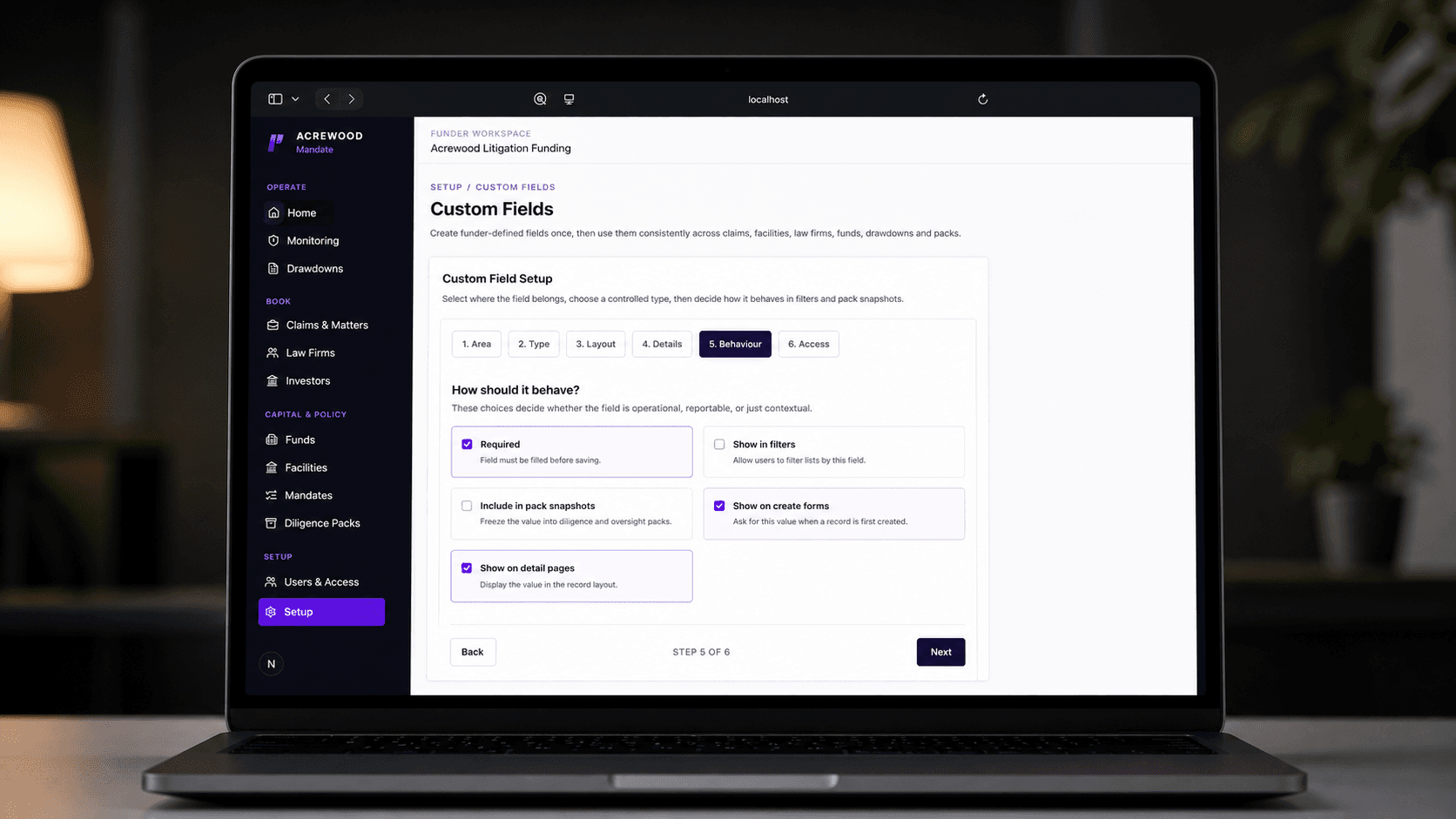
Some fields are contextual and belong only on a detail page. Others should be collected when a record is created, required before the value can be saved or made available as a list filter. Selected fields can also be frozen into diligence pack snapshots so that the pack preserves the value used at the time of review.
This turns a custom field from a spare database column into an explicit part of the operating model.
For example, a funder could configure an ATE insurance status as a controlled picklist, show it on matter detail pages, make it filterable across the Claims & Matters list and include it in relevant pack snapshots. The same definition is then used across those surfaces instead of being reinterpreted in each report.
The result is not more data for its own sake. It is more consistent portfolio data at the points where people actually use it.
Access is part of data quality
Funder-defined information can influence committee papers, compliance follow-up and investor reporting. It should not become editable by everyone simply because it is custom.
Mandate lets administrators control which internal roles can edit a field and which can see it. An analyst may need visibility of a reporting category without authority to change it. A portfolio manager or compliance officer may own the value, while a board viewer receives read-only access.
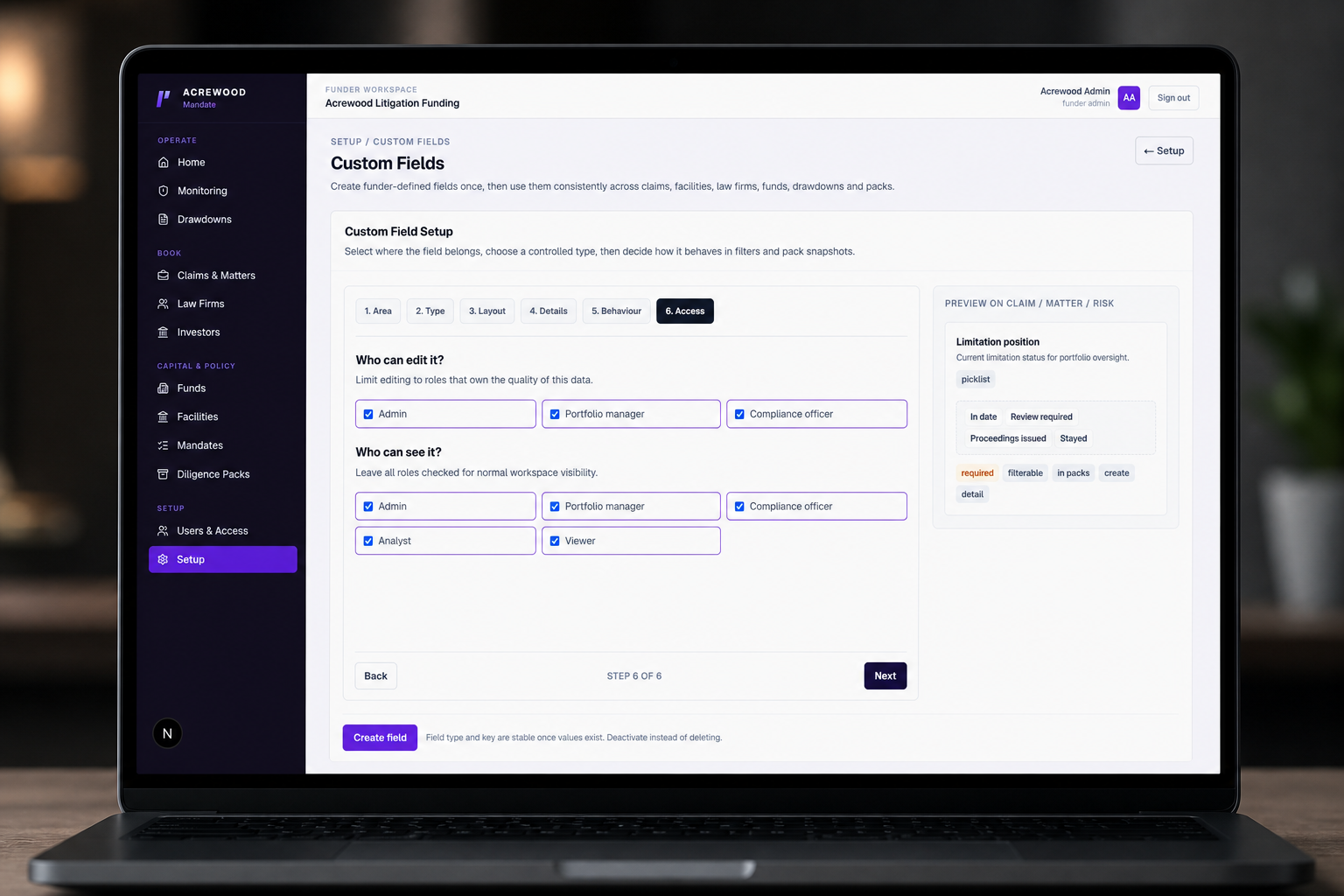
The same principle applies to history. Definitions are deactivated rather than deleted, helping preserve historical values and the meaning of frozen records. Definition, deactivation, reactivation and value changes are recorded as audit events.
That is what separates configurable portfolio software from an uncontrolled spreadsheet.
Better portfolio reporting starts before the report
Many reporting problems are created long before a report is produced.
If a funder records the same concept differently across firms or facilities, no dashboard can repair the ambiguity later. If a value can change without clear ownership, an investment committee cannot know which version it is seeing. If a pack copies the latest value rather than freezing the reviewed value, the evidence trail becomes harder to defend.
Controlled custom fields address the problem at capture:
- the field has a stable definition and type
- permitted values can be constrained
- its position in the record is deliberate
- edit and visibility roles are explicit
- selected values can participate in filters and pack snapshots
- changes remain attributable
This is the less visible side of portfolio governance: making information consistent enough to support decisions later.
A practical example: limitation position
Consider a funder that wants a portfolio-wide view of limitation status.
The underlying legal analysis remains a professional judgement; software should not pretend otherwise. But the operational position can still be recorded consistently. A controlled field might offer “In date”, “Review required”, “Proceedings issued” and “Stayed”.
The funder can place that field in the Risk section of each matter, restrict editing to the roles responsible for data quality and expose it as a filter. Portfolio teams can then identify matters marked “Review required” without searching narrative updates or reconciling another tracker.
That is a modest feature with a direct governance benefit. It helps the funder ask a better question across the portfolio while keeping the underlying judgement with the appropriate people.
Standard where it matters, configurable where it helps
Litigation funding software should not force every funder into the same data model. Nor should it turn every operating requirement into an arbitrary custom field.
The stronger approach is a stable core with a governed extension layer: standard fields for the controls Lexivoa must understand, and controlled custom fields for the information that is specific to a funder's strategy and oversight model.
That balance keeps litigation funding portfolio data adaptable without making it disposable.
For the broader governance model, read Portfolio Governance for Litigation Funders. To see how these controls operate across a growing book of matters, read How Mandate Compliance Scales with Portfolio Size.
Explore Lexivoa Mandate to see how funder-defined data fits into portfolio oversight, filtering and diligence workflows.
Lexivoa Mandate
Make your portfolio data fit the way you fund
Lexivoa Mandate combines a consistent operating model with controlled funder-defined fields across claims and matters, facilities, firms, funds, drawdowns and diligence packs.
Explore Lexivoa Mandate